
1 The red numbers in each screenshot match the numbered steps below it. Click a screenshot to open it full size.
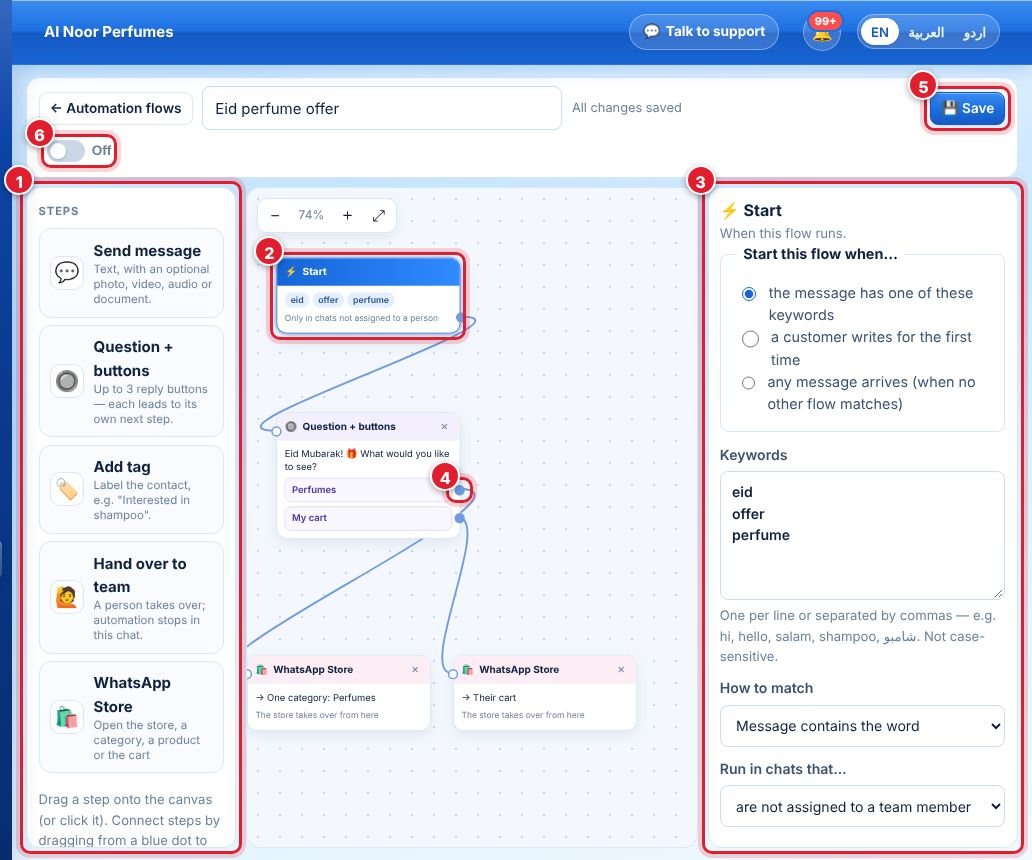
- Steps: Send message, Question + buttons, Add tag, Hand over to team, WhatsApp Store. Drag a step onto the canvas (or click it).
- Every flow begins with Start. Click a step to edit it.
- The panel on the right edits the selected step. For Start: when the flow runs (keywords, first message, or any message), the keywords, how to match and in which chats.
- To connect steps, drag from a step’s blue dot to the next step.
- Click Save.
- Turn the switch On to make the flow live.
Question + buttons
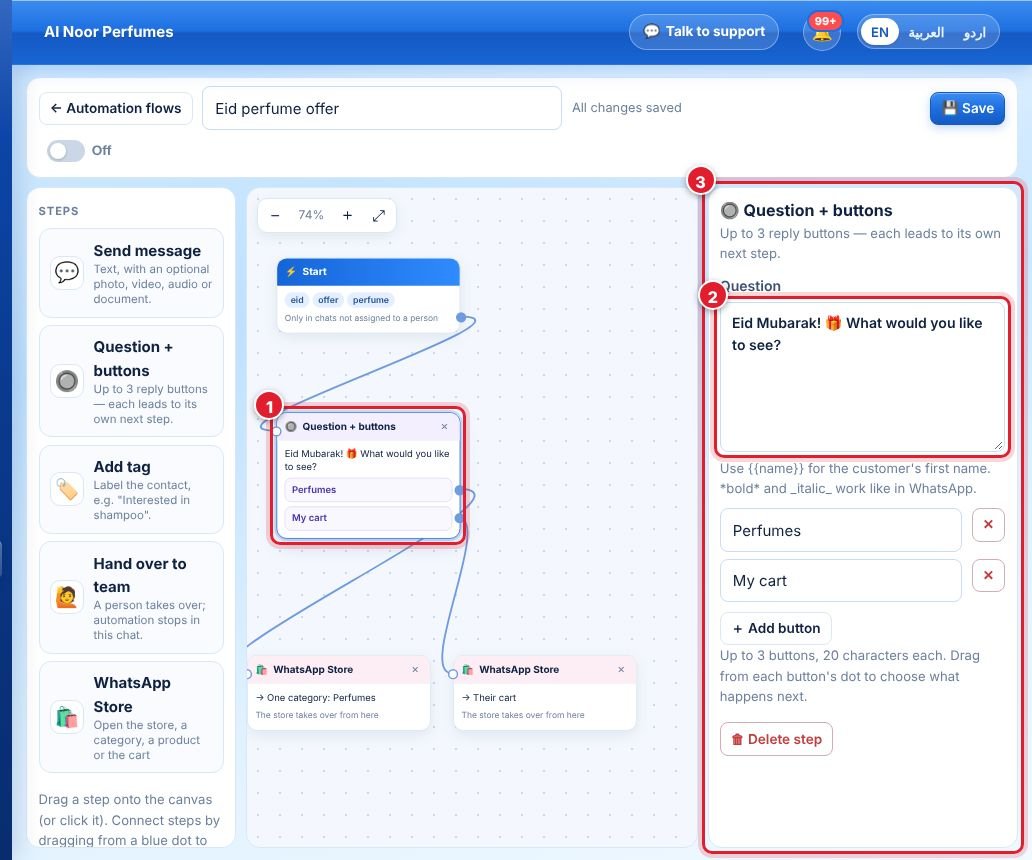
- Select the Question + buttons step.
- Write the question. Use
{{name}}for the customer’s first name; *bold* and _italic_ work. - Add up to 3 buttons (20 characters each). Drag from each button’s dot to choose what happens next.
Use ⤢ to fit the canvas and + / − to zoom.
جواب نہیں ملا؟
ہماری ٹیم سے پوچھیں