
1 The red numbers in each screenshot match the numbered steps below it. Click a screenshot to open it full size.
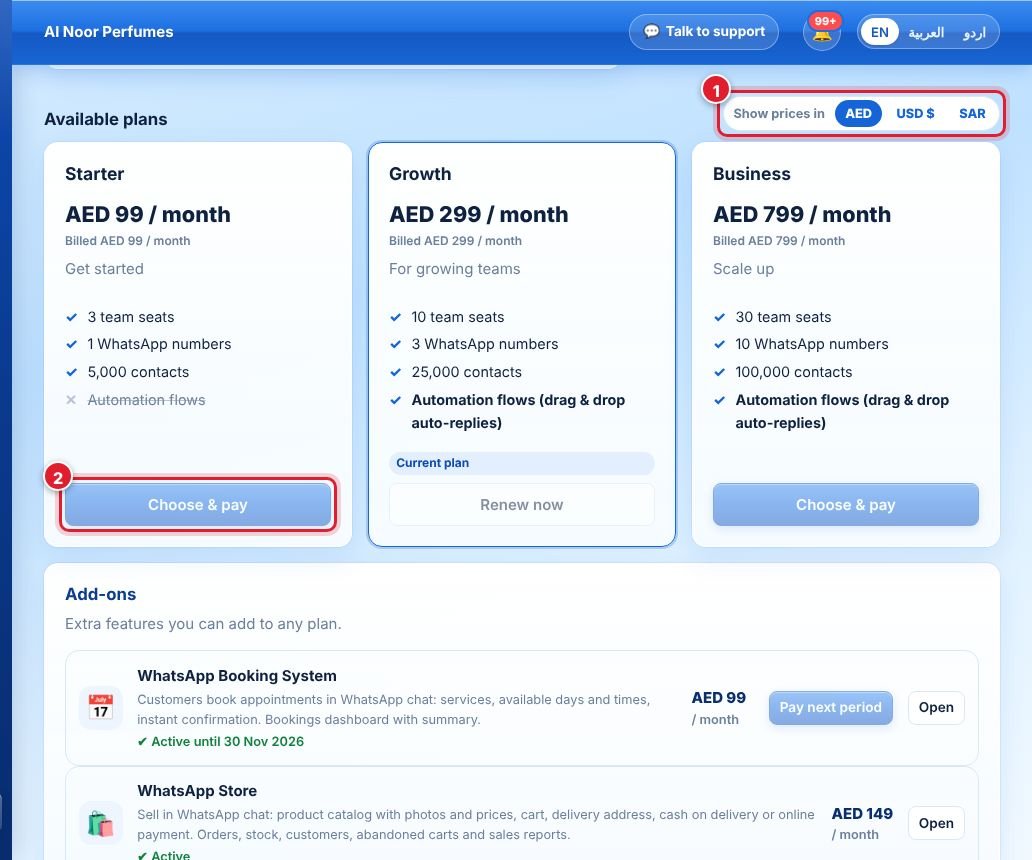
- Open Billing & plan. Choose the currency to show prices in (you always pay in AED).
- Click Choose & pay on the plan you want and pay securely with Ziina. Each payment covers one billing period — there is no automatic renewal.
Plans differ in seats, WhatsApp numbers and contacts. Automation flows are included in Growth and Business, not in Starter (✓ / ✕ on each plan).
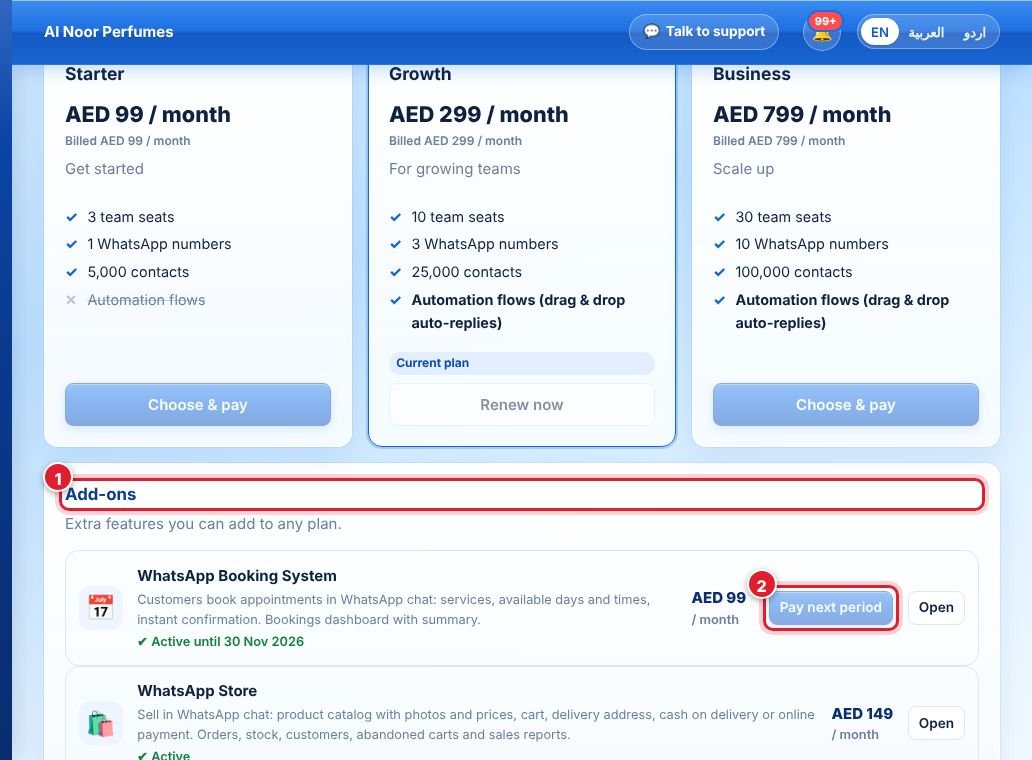
- The Add-ons section lists extras you can add to any plan: WhatsApp Booking System and WhatsApp Store.
- Click Activate (or Pay next period to extend) and pay. Click Open to go to the add-on.
- WhatsApp message fees: charged by Meta directly to the payment method in your Meta Business account. Wappx adds 0% markup.
- Limits: your plan sets seats, numbers, contacts, campaign recipients per month and AI replies per month. The dashboard shows your usage.
See the Refund & Cancellation Policy for refunds.
جواب نہیں ملا؟
ہماری ٹیم سے پوچھیں