
1 The red numbers in each screenshot match the numbered steps below it. Click a screenshot to open it full size.
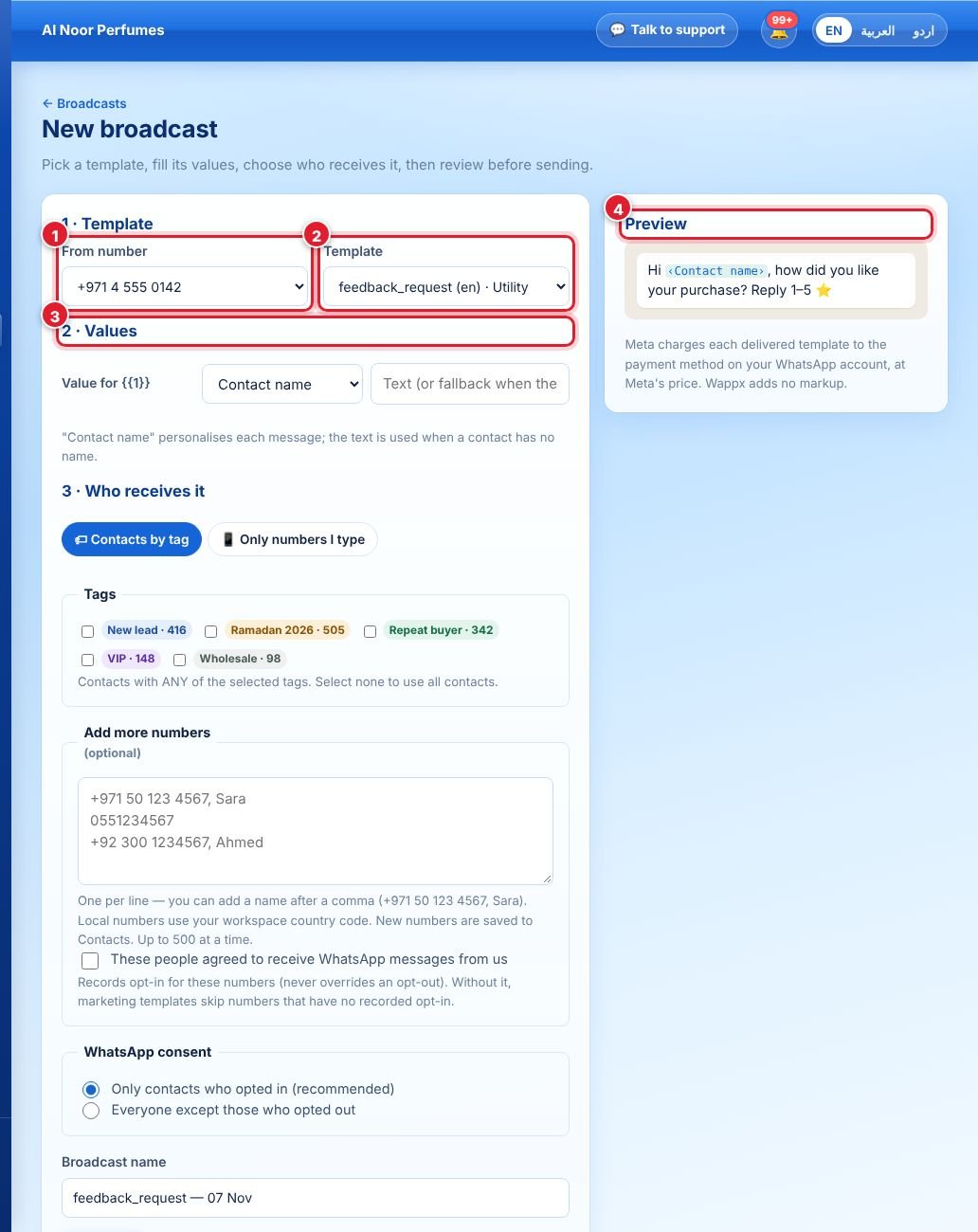
- Open Campaigns → New broadcast and choose the WhatsApp number to send from.
- Choose an approved template.
- Fill in the values for the template’s variables — for example “Contact name” to personalise each message — and upload the header image or document if the template has one.
- Check the preview on the right.
Then scroll down: choose who receives it (contacts by tag, or numbers you type), the consent rule (we recommend only contacts who opted in), give the broadcast a name, and Send now or Schedule a date and time.
Contacts who replied STOP or were deleted are skipped automatically.
لم تجد إجابتك؟
اسأل فريقنا