
1 The red numbers in each screenshot match the numbered steps below it. Click a screenshot to open it full size.
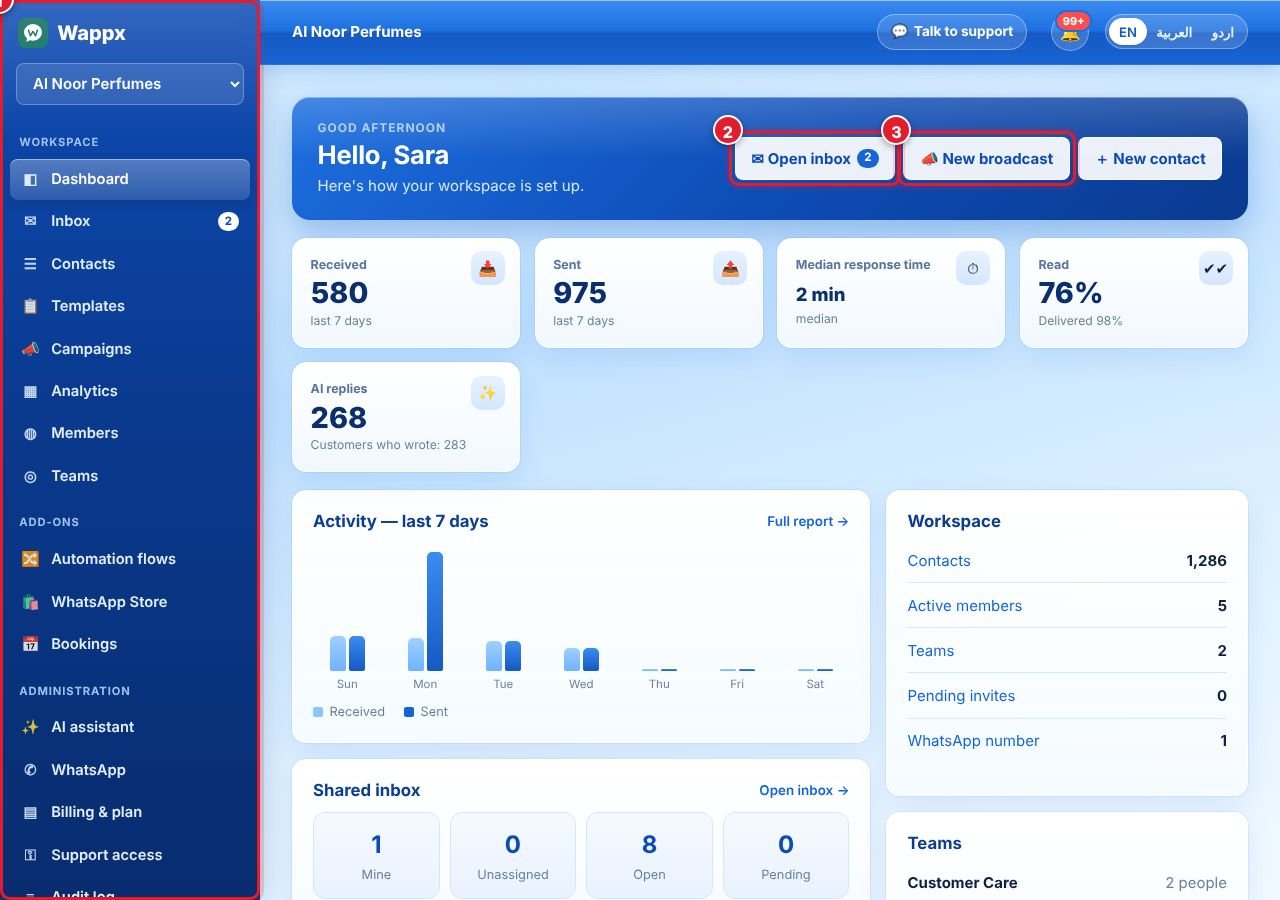
- The left menu takes you everywhere. Workspace: Dashboard, Inbox, Contacts, Templates, Campaigns, Analytics, Members, Teams. Add-ons: Automation flows, WhatsApp Store, Bookings. Administration: AI assistant, WhatsApp, Billing & plan, Support access, Audit log.
- Open inbox to answer customers. The blue number shows unread chats.
- New broadcast sends an approved template to many contacts at once.
The cards show messages received and sent in the last 7 days, your median response time, read rate and AI replies. The 🔔 bell at the top shows notifications, and Talk to support opens a chat with the Wappx team. Switch the language (English, العربية, اردو) at the top right.
لم تجد إجابتك؟
اسأل فريقنا