
1 The red numbers in each screenshot match the numbered steps below it. Click a screenshot to open it full size.
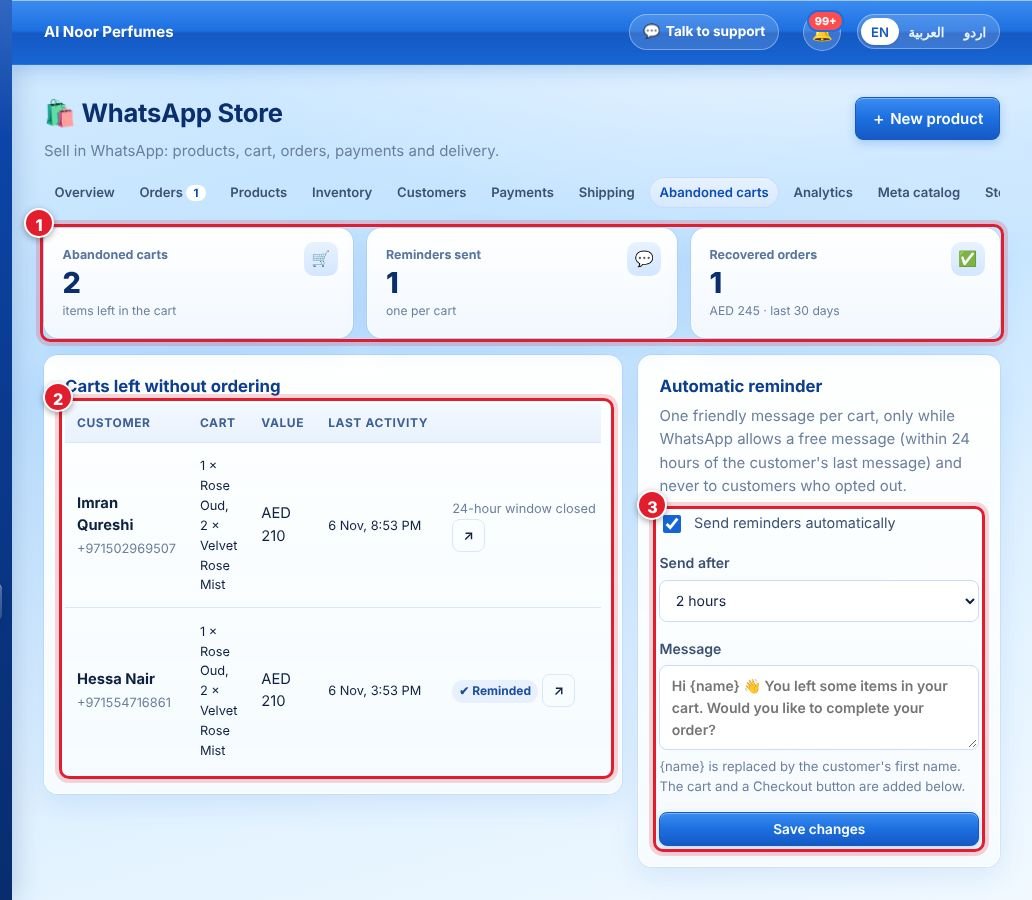
- The cards show abandoned carts, reminders sent and orders recovered.
- The table lists carts left without ordering: customer, items, value and last activity. Click ↗ to open the chat.
- Tick Send reminders automatically, choose send after (e.g. 2 hours), edit the message and click Save changes.
One friendly reminder is sent per cart, only while WhatsApp allows a free message (within 24 hours of the customer’s last message), and never to customers who opted out.
Didn’t find your answer?
Ask our team