
1 The red numbers in each screenshot match the numbered steps below it. Click a screenshot to open it full size.
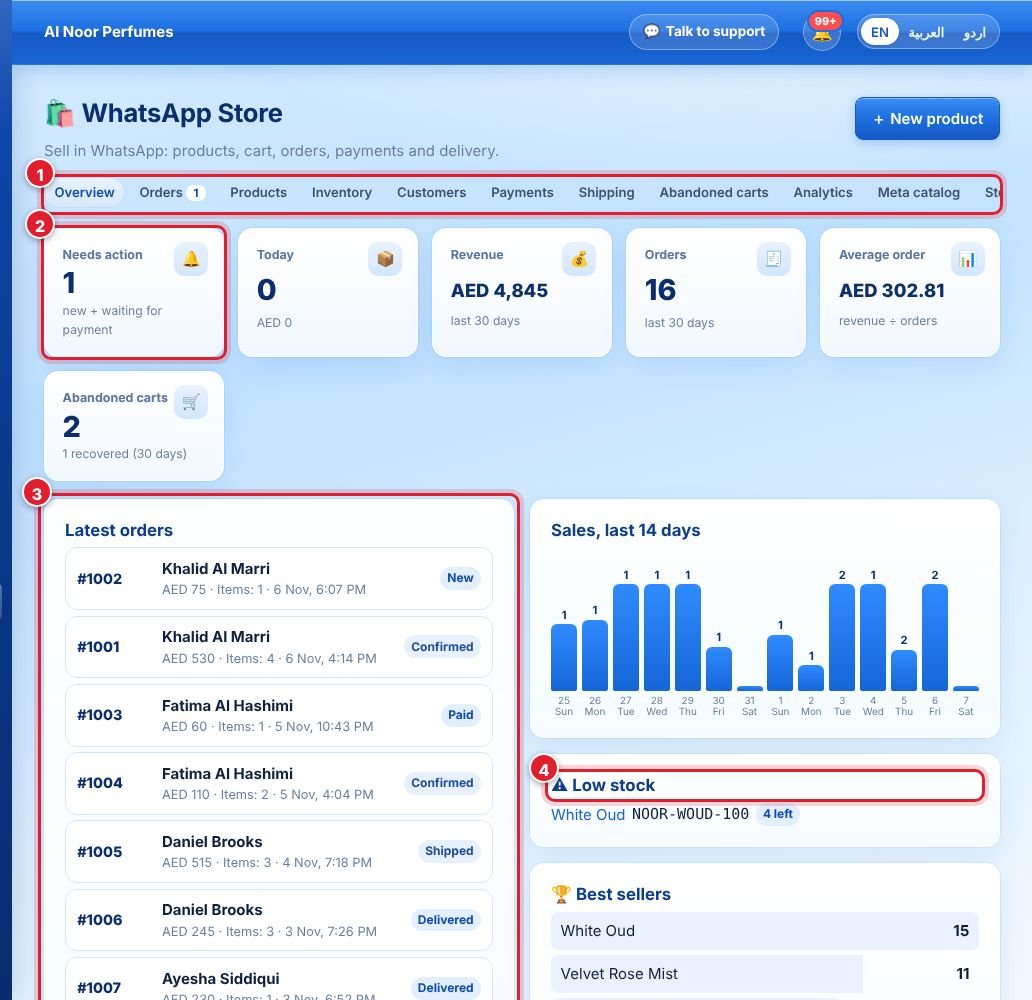
- The tabs: Overview, Orders, Products, Inventory, Customers, Payments, Shipping, Abandoned carts, Analytics, Meta catalog, Settings.
- The cards: orders waiting for action, today’s orders, revenue, orders and average order value for the last 30 days, and abandoned carts. Click a card to open the details.
- Latest orders.
- Low stock — products to restock soon.
Analytics
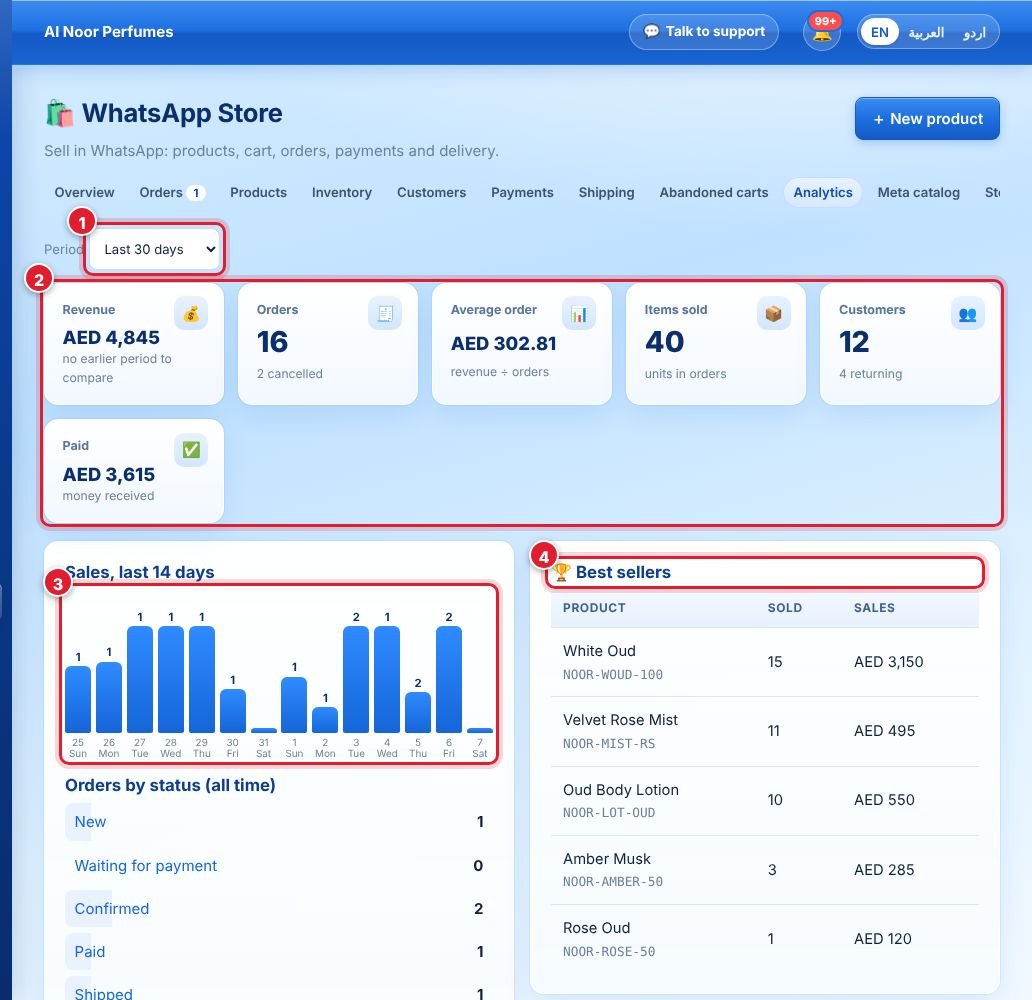
- Choose the period: last 7, 30, 90 or 365 days.
- Revenue, orders, average order value, items sold, customers (and returning customers) and money paid.
- Daily sales chart.
- Best sellers.
Customers

- Search customers by name or phone.
- Each customer shows orders, total spent and last order. Click to see their orders and chat.
لم تجد إجابتك؟
اسأل فريقنا