
The WhatsApp Store lets customers browse your products, add them to a cart, choose delivery and pay — without leaving WhatsApp. Set it up in this order:
- Store settings (this page)
- Categories and products
- Delivery areas and payments
- Optional: connect your Meta catalog
Store settings
1 The red numbers in each screenshot match the numbered steps below it. Click a screenshot to open it full size.
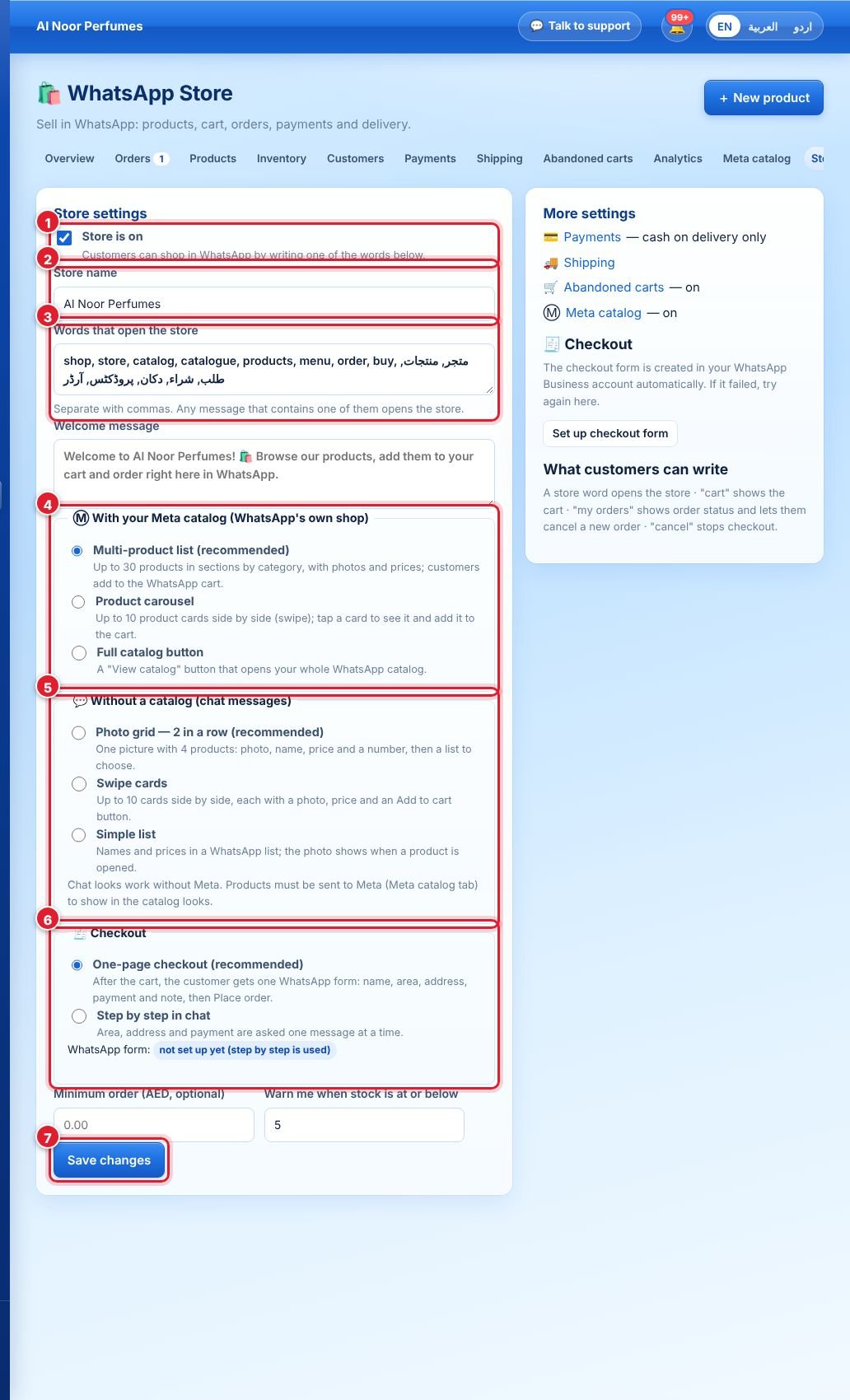
- Open WhatsApp Store → Settings and tick Store is on.
- Type your store name, shown at the top of the store in WhatsApp.
- Words that open the store: when a customer writes one of these (e.g. shop, order, menu, price, Arabic or Urdu words), the store opens. Separate with commas.
- With your Meta catalog (WhatsApp’s own shop): Multi-product list (recommended — up to 30 products in category sections, with WhatsApp’s own cart), Product carousel or Full catalog button. Needs a connected catalog.
- Without a catalog (chat messages): Photo grid (2 per row, like a shop), Swipe cards or Simple list.
- Checkout: One-page checkout (recommended) shows one WhatsApp form — name, area, address, payment, note — and the customer taps Place order. Step by step asks each question in chat.
- Click Save changes.
💡 Turn on one-page checkout and Wappx creates and publishes the WhatsApp form on your account automatically. The settings page shows ready when it is done.
Next: see what your customers see.
لم تجد إجابتك؟
اسأل فريقنا